
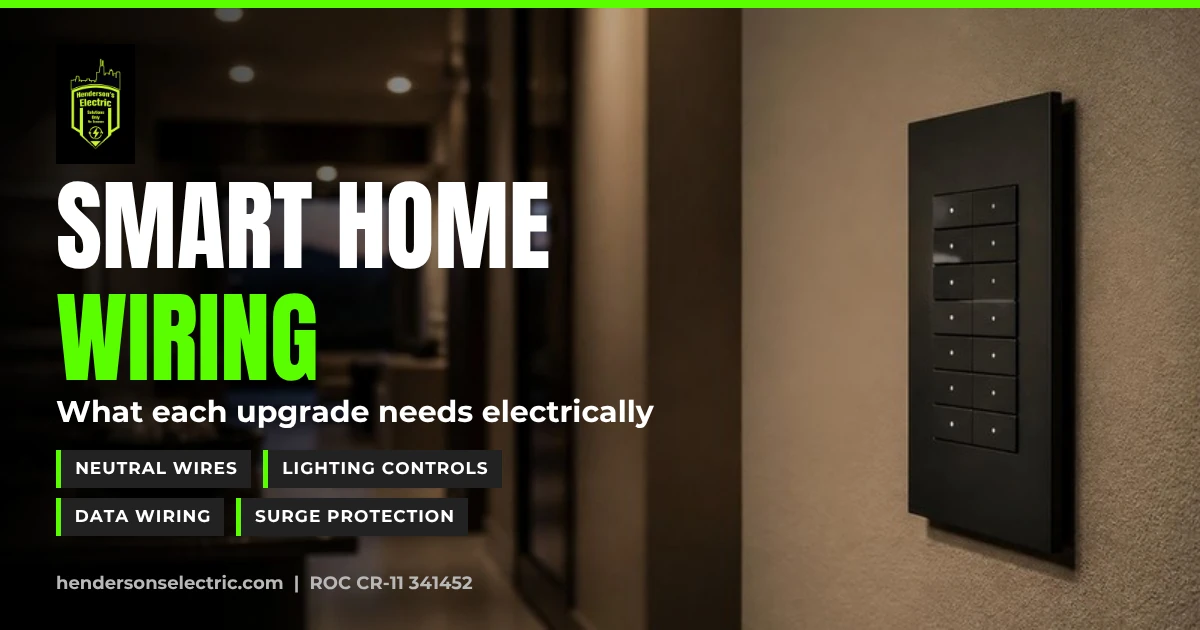
Smart homes get the spotlight for apps, voice control and automated scenes. But in homes and businesses from Scottsdale to Queen Creek, the projects that work best all start in the same place: the wiring behind the walls. Here are the smart home electrical trends we see most, and what each one needs from your electrical system.
Short answer: Most smart home features depend on basic electrical infrastructure: a neutral wire at each smart switch, deep enough switch boxes, dedicated circuits for hubs and equipment, structured data wiring, enough panel capacity and a whole-home surge protector. Plan those first, and almost any smart device or lighting system you choose later will work reliably.
What smart home electrical trends are homeowners asking for?
- Automated and voice-controlled lighting: scenes, schedules and dimming from a phone, keypad or voice assistant
- Whole-home control: one system for lighting, shades, climate, audio and security
- Retrofit-friendly smart switches: upgrades for existing homes without opening walls
- Tunable and warm-dimming lighting: light that shifts from cooler during the day to warmer at night
- App-controlled outdoor lighting: landscape lighting and permanent roofline lighting on schedules
- Smarter EV charging: power-monitoring chargers that manage their own load
Why do smart switches need a neutral wire?
A standard switch just opens and closes the circuit. A smart switch has electronics inside that stay powered all the time, and most need a neutral wire to do that. Many homes have a neutral in the switch box, but some older homes don’t. If yours doesn’t, the options are a smart switch designed to work without a neutral, or having an electrician run a neutral. Smart switches are also bulkier, so shallow or crowded boxes may need to be replaced.
What does whole-home lighting control need?
Some lighting control systems are wireless, with keypads that replace standard switches. Others are centralized, with wiring from each lighting zone back to a panel in a closet or garage. Centralized systems are easiest to install in new construction or a major remodel, while wireless systems suit retrofits. Either way, the dimmers have to be compatible with your LED fixtures to avoid flicker and buzz. We install Lutron lighting controls. See our Lutron lighting controls page and our post on layered lighting.
Do I need structured wiring for a smart home?
Wi-Fi handles most smart devices, but wired data is still the most reliable choice for TVs, home offices, Wi-Fi access points and security cameras. During a remodel, run data cable to those spots, add conduit behind wall-mounted TVs and plan a central location for networking equipment with a dedicated outlet nearby.
Can I add smart features to an older home without major work?
Often, yes. Wireless switches, plug-in modules and battery-powered sensors avoid opening walls. Where a smart switch needs a neutral or a deeper box, an electrician can usually fix that one location without a bigger project. If you’re planning a remodel anyway, that’s the time to add neutrals, data runs and lighting control wiring throughout.
Can my panel handle smart home upgrades?
The smart devices themselves use very little power. The loads that often come with them, like EV chargers, upgraded HVAC, pool equipment and outdoor kitchens, are what strain a panel. A load calculation shows whether you have room. For EVs on a tight panel, Randy recommends a power-monitoring, load-managing EV charger before a panel upgrade. When we do replace a panel, we usually install Square D or Eaton panels and materials.
Why does surge protection matter for smart homes?
Smart switches, hubs, thermostats and modern appliances are full of sensitive electronics. Monsoon lightning and utility switching can send surges through your wiring that damage them. A whole-home surge protector at the panel, plus quality surge strips at TVs and computers, helps protect all of it. The current electrical code requires whole-home surge protection when a home’s electrical service is installed or replaced, so we include it on every job that touches the panel and recommend it for every home. Our post on surge protection and safety upgrades explains how it works.
What about smart lighting in commercial spaces?
The same ideas apply to restaurants, bars and offices. On the Ponderosa House tenant improvement for a bar and restaurant in Old Town Scottsdale, we installed a Lutron lighting system with a hub controller, so the owners can dim the lights and switch scenes as the night goes on. Lighting that shifts with the time of day is part of the atmosphere. See our commercial tenant improvements page.
Smart home wiring checklist
- Neutral wire at every switch location you might automate
- Switch boxes deep enough for smart devices
- LED-compatible dimmers
- Wiring plan for your lighting control system (wireless or centralized)
- Data cable to TVs, offices, access points and cameras
- A dedicated outlet at the network location
- Panel capacity confirmed by a load calculation
- Whole-home surge protector at the panel
When should I call an electrician?
Plug-in smart devices are easy to set up yourself. Anything that replaces a switch, outlet or fixture, or involves the panel, should be installed by a licensed electrician. Call us if a smart switch gets warm, buzzes or flickers its lights, or if breakers trip after a new device goes in. If you see sparks or smell burning, stop using it, turn off the breaker only if it’s safe and dry to reach, and call 911 for any fire.
Serving Queen Creek and the East Valley
We wire smart homes and businesses in Queen Creek, San Tan Valley, Gilbert, Mesa, Chandler, Florence, Scottsdale, Apache Junction and Gold Canyon, Sun Lakes, Tempe, Cactus Forest, Coolidge, Paradise Valley and Ahwatukee.
Frequently asked questions
Do smart switches need a neutral wire?
Most do, because their electronics need constant power. Some models are designed to work without a neutral. If your switch box has no neutral, an electrician can run one or recommend a no-neutral option.
Can I install smart switches myself?
Replacing a switch means working with household wiring, so we recommend a licensed electrician, especially if the box lacks a neutral, is crowded or controls multiple switches.
Is wired or wireless better for a smart home?
Wireless works well for switches, sensors and most devices. Wired data is still more reliable for TVs, home offices, access points and cameras. Most homes use both.
Will smart home devices overload my panel?
The devices use very little power. Bigger loads that often come with upgrades, like EV chargers or HVAC, are what matter. A load calculation will tell you whether your panel has room.
Why do my LED lights flicker on a smart dimmer?
Usually the dimmer and the LED fixture or bulb aren’t compatible, or the dimmer’s settings need adjusting. An electrician can match the dimmer to your fixtures.
Ready to plan your smart home?
Henderson’s Electric Solutions LLC is a family-owned electrical contractor in Queen Creek, owned by Randy and Tori Henderson. Randy is our licensed electrician (ROC CR-11 #341452), and we’re bonded, insured and BBB accredited. Tell us what you want your home to do, and we’ll plan the wiring to support it.
Call Randy at (480) 430-2775 or request an estimate online. Regular hours are Monday through Friday, 6 AM to 6 PM, and we answer emergency calls 24/7. Solutions Only - No Excuses.